Max messenger Integration for AlfaCRM
Connect MAX to AlfaCRM and manage client messages in a single interface
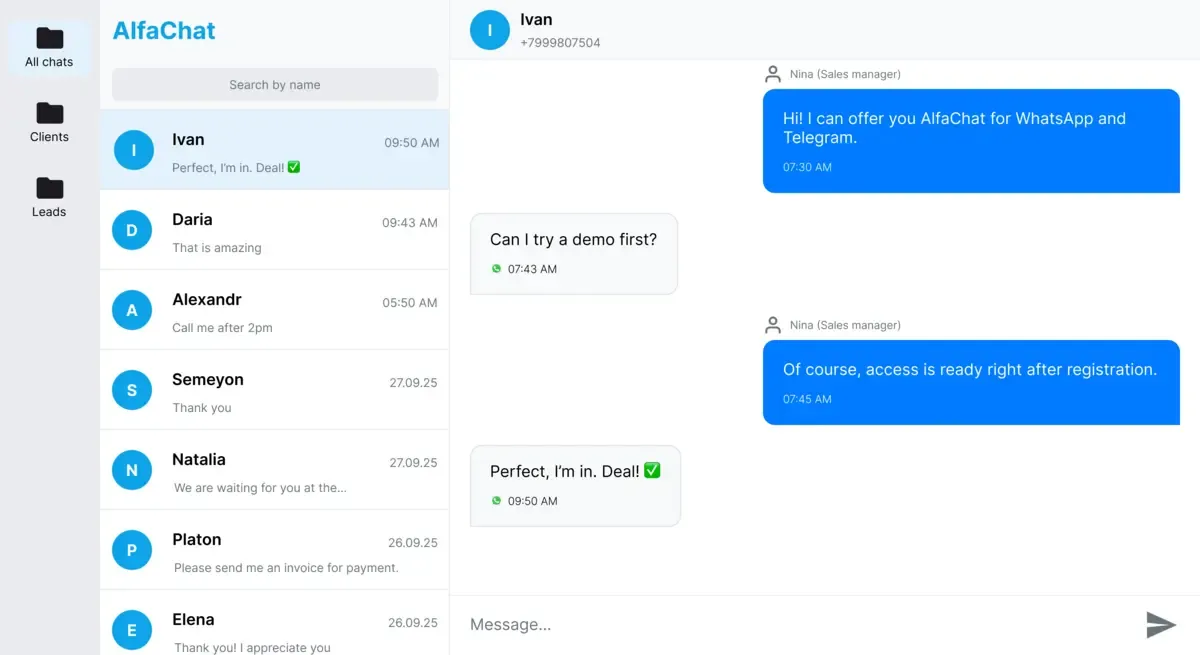
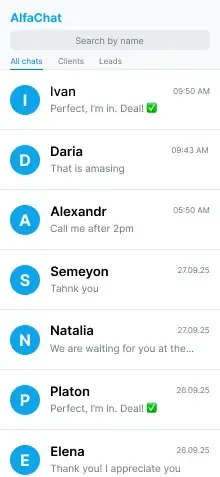
Connect MAX to AlfaCRM and manage conversations in one system
AlfaChat connects MAX with AlfaCRM, syncing client conversations in real time
- Messages are automatically linked to client profiles
- Turn MAX messages into leads in AlfaCRM instantly
- Managers work in a single AlfaChat interface and only see their own contacts

How AlfaChat brings MAX into your team’s daily workflow in AlfaCRM
How MAX is used in real client and lead workflows inside AlfaCRM
One place to manage all MAX clients
All MAX client conversations, safely stored in one shared workspace

Automatic Client Creation in AlfaCRM
MAX conversations are automatically linked to client and lead profiles in AlfaCRM
Take full control of MAX conversations
Clear manager ownership and full control of MAX messages in AlfaCRM

Work with MAX anytime, on any device
Stay connected to MAX conversations across desktop and mobile with AlfaChat

One place to manage all MAX clients
All MAX client conversations, safely stored in one shared workspace
Automatic Client Creation in AlfaCRM
MAX conversations are automatically linked to client and lead profiles in AlfaCRM
Take full control of MAX conversations
Clear manager ownership and full control of MAX messages in AlfaCRM
Work with MAX anytime, on any device
Stay connected to MAX conversations across desktop and mobile with AlfaChat
How schools use CRM and Max together
Most educational centers use a CRM system to manage leads students and payments. But communication with parents usually happens in messengers like Max
AlfaChat connects Max to your CRM so your team can communicate with parents in one shared workspace and keep the entire conversation history linked to the client
Learn how CRM works for schoolsCRM
Students, leads, payments and schedules
AlfaChat
Unified inbox
Max
Parent communication via Max
Max Messenger Message Templates for Parents
Explore message templatesSimple and clear pricing for MAX in AlfaChat
Choose a plan that fits your team. No hidden fees.
Lite
For small teams getting started
- MAX works together with AlfaCRM
- Up to 50 dialogs
- Shaerd team workspace
Frequently asked questions
Answers to the most common questions about AlfaChat
Yes. MAX messages are synced with AlfaCRM in real time and attached to client profiles and deals
AlfaChat brings MAX messages into AlfaCRM, keeping the full conversation history in each client profile
The ability to message clients first depends on the MAX channel type. With MAX Personal, businesses can initiate conversations, and AlfaChat fully supports this workflow in AlfaCRM.
Yes. When a new conversation starts in MAX, AlfaChat creates a lead or client in AlfaCRM and saves the complete message history.
There is no hard limit on the number of managers. Your entire team works in a shared workspace with access to all MAX conversations.
Yes. Each MAX conversation in AlfaChat has a visible assigned manager, so teams don’t respond to the same message twice.
Yes. AlfaChat works on both desktop and mobile devices, allowing your team to manage MAX conversations from anywhere.
Get started in one business day — our team helps connect MAX and configure AlfaCRM integration.
Yes. Schools, educational centers, and training courses commonly use MAX with AlfaCRM to manage communication with parents and students.
AlfaChat provides free and paid plans. Advanced MAX and AlfaCRM integration features are available on paid plans for teams and scaling businesses.
Take MAX messaging to the next level with AlfaCRM automation
AlfaChat helps teams respond faster, never lose clients and grow sales.